Partner kit
Everything you need to show Moto.
A tour of the app, a tutorial you can follow on camera, twelve habit setups ready to copy, videos you can post as is, and captions that fill in your link.
Moto in 30 seconds
A habit tracker that lives on your Home Screen and forgives a rest day.
It lives on your Home Screen
Check off habits from widgets on iPhone, iPad, Mac and Android, or from the Apple Watch. No need to open the app.
A rest day isn't a reset
Skip a day with a long-press and the streak stays whole. Only truly missed days count against you.
Schedules that fit real life
Gym 4 times a week, study on weekdays, stretch every 2 days. Seven schedule types, so a day off is still on track.
Say it, it's set
Tap the mic, say "read ten pages on weekdays, run three times a week", and Moto builds the habits.
- Platforms
- iPhone, iPad, Mac, Apple Watch, Android
- Price
- Free with up to 3 habits. Pro: subscription in the app, or one payment for life on the web
- Your followers get
- Moto Pro for life, one payment of €29.99, on iPhone, iPad and Mac
- Sign-up
- None, habits sync through iCloud
- Languages
- English, French, German, Spanish, Japanese and more
“Moto is the habit tracker for people who gave up on habit trackers. Your habits sit on your Home Screen, you tap them done, and if you need a rest day, your streak doesn't care.”Say it in your own words. This is the gist.
App tour
Three screens, a lot of widgets.
Moto is deliberately small. Here is everything a viewer will see, and what to say about it.
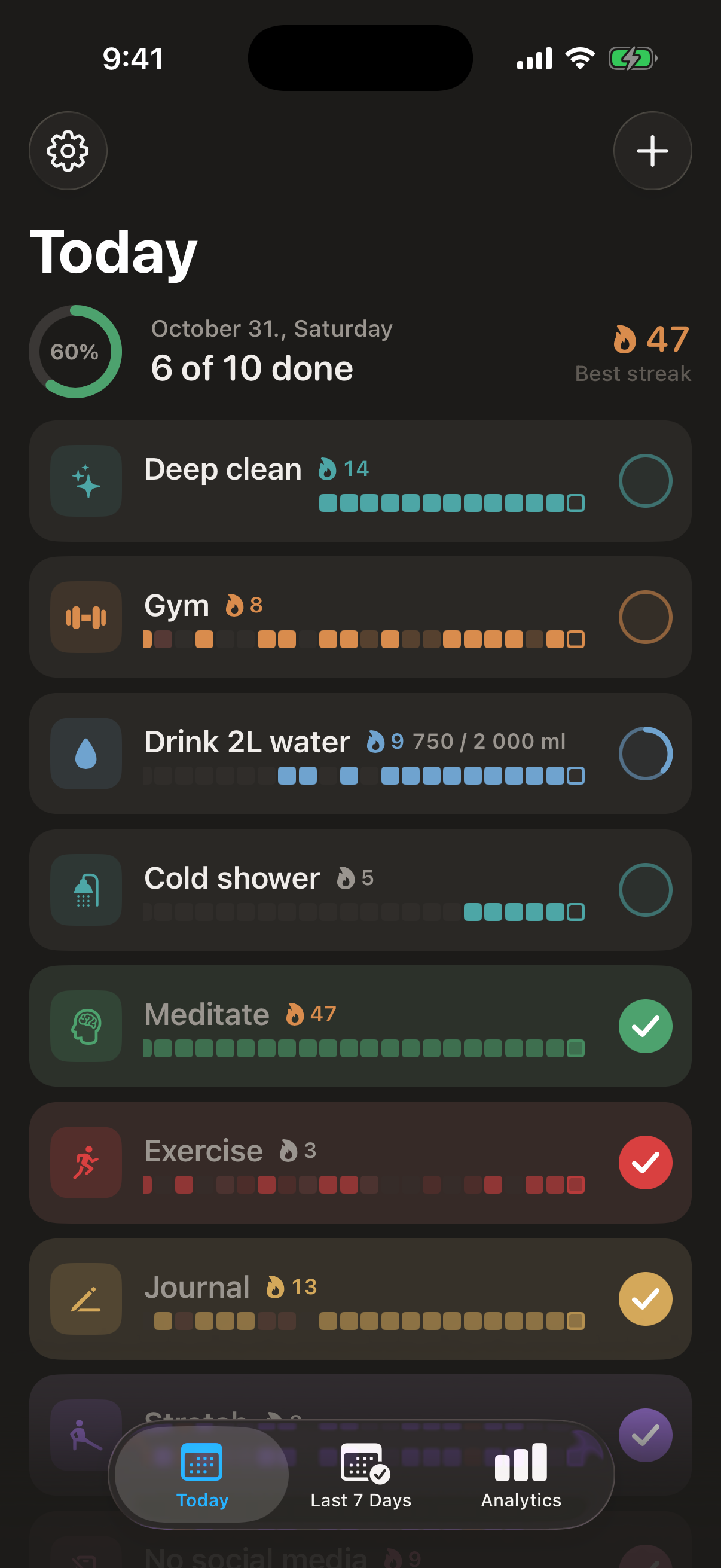
Today
Every habit due today, with its streak and recent history. Tap the circle to check in, tap again for amounts like 8 glasses.
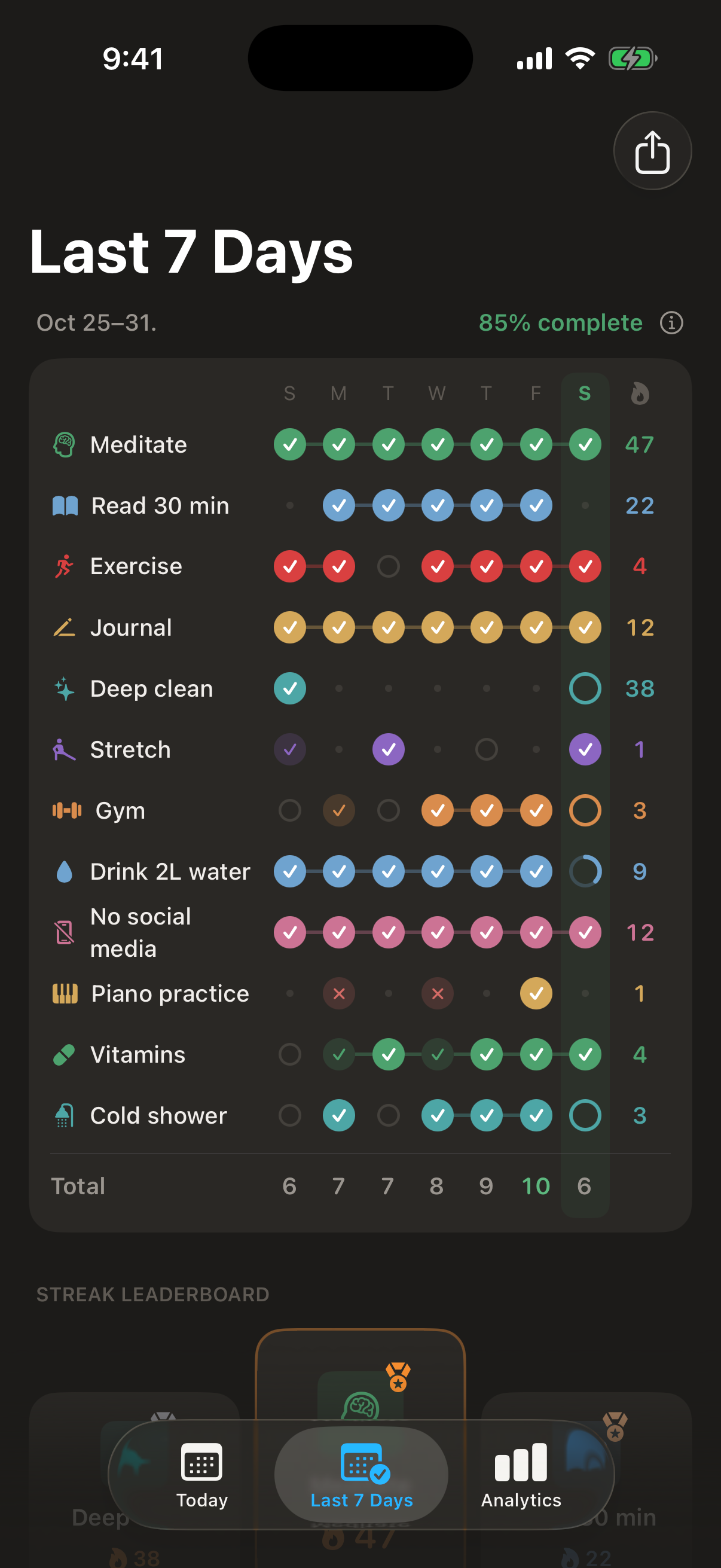
Last 7 Days
A rolling week that always ends today. Tap any dot to fix a past day, long-press to skip it.
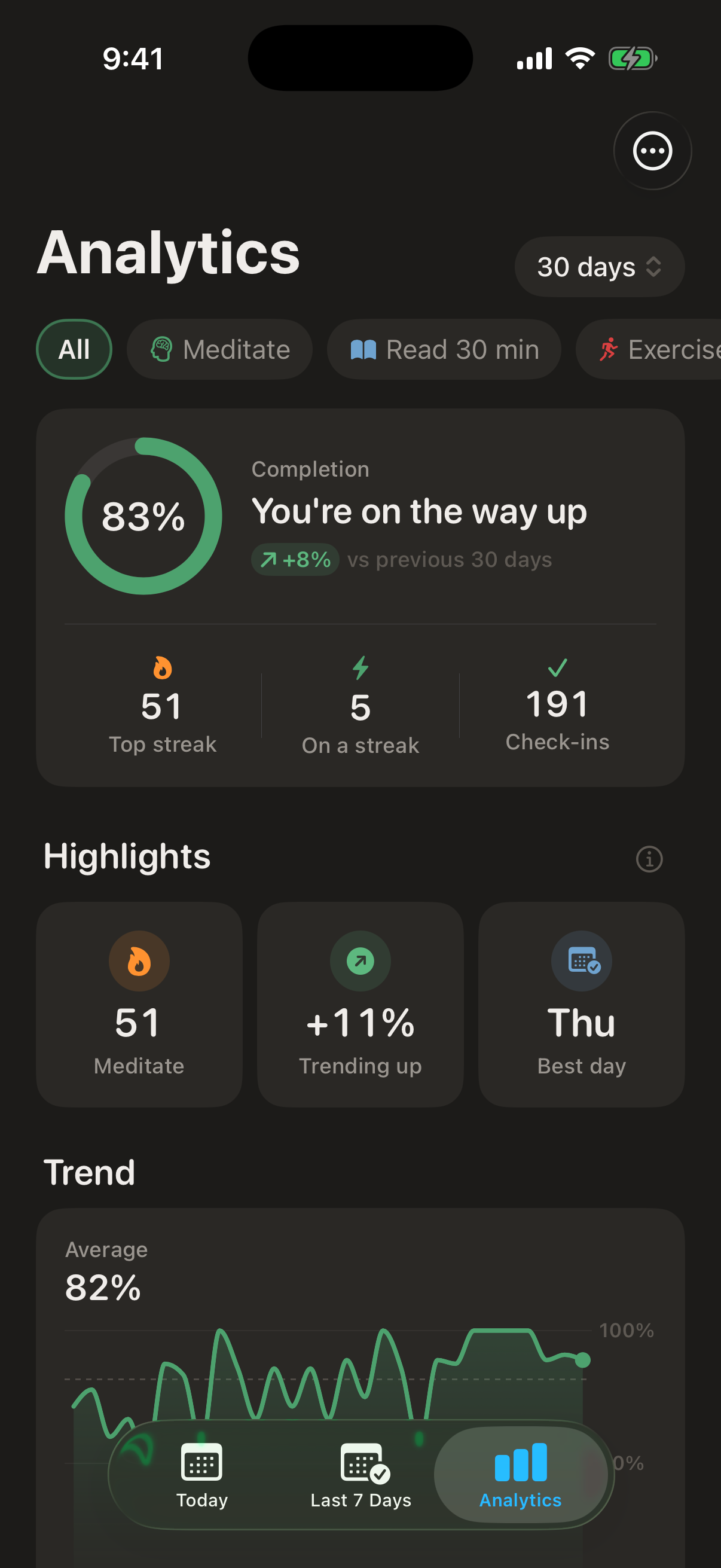
Analytics
Completion trends, best day of the week, streaks and a heatmap per habit. The screen to show at day 30.


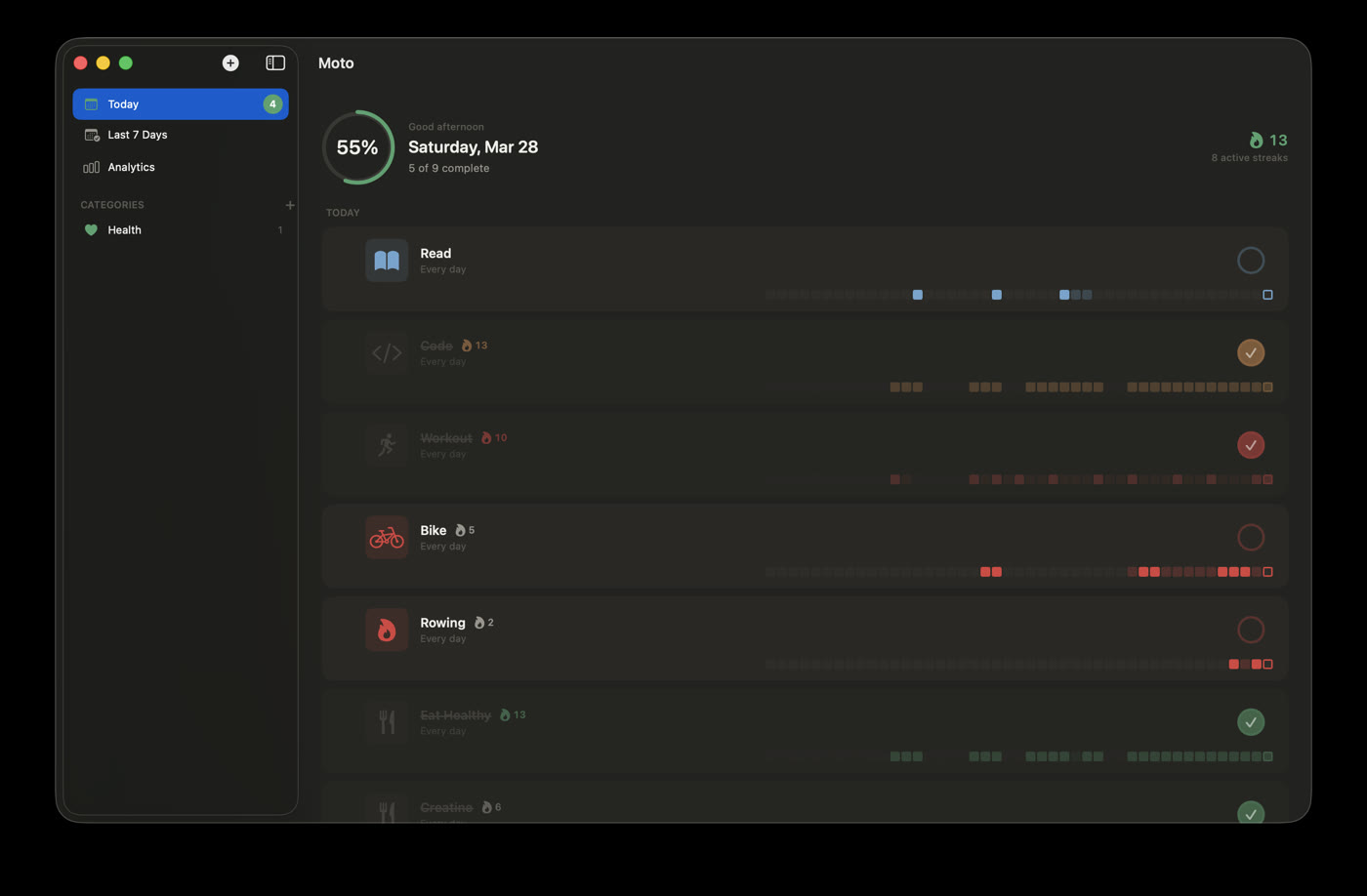
Mac
The full app, plus a menu bar item to check in without leaving your work.
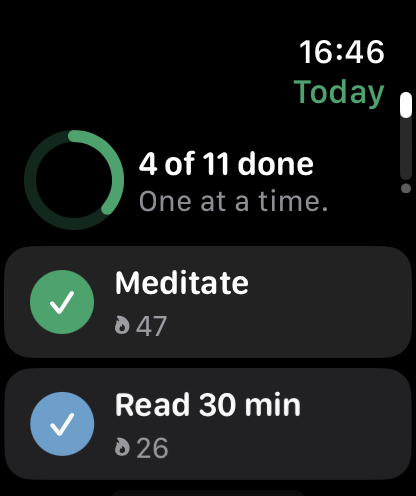
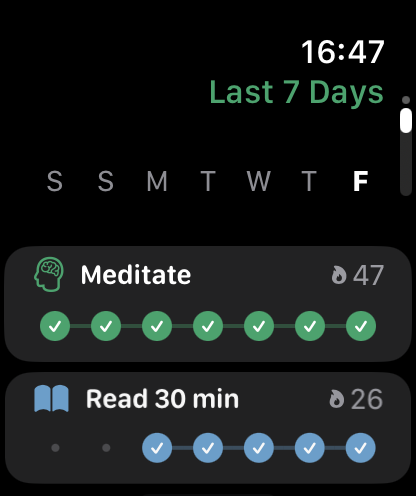
Apple Watch
Today's habits on the wrist, and complications for the watch face.
Tutorial
Set up Moto on camera, step by step.
Follow these steps once for yourself, then film the ones that make the best clip. Steps 2, 4 and 6 are the crowd pleasers.
 Step 1
Install and start small
Open Moto and answer a few questions, or skip them. Moto suggests a starter routine. On camera, start with one to three habits: it reads better and fits the free tier.
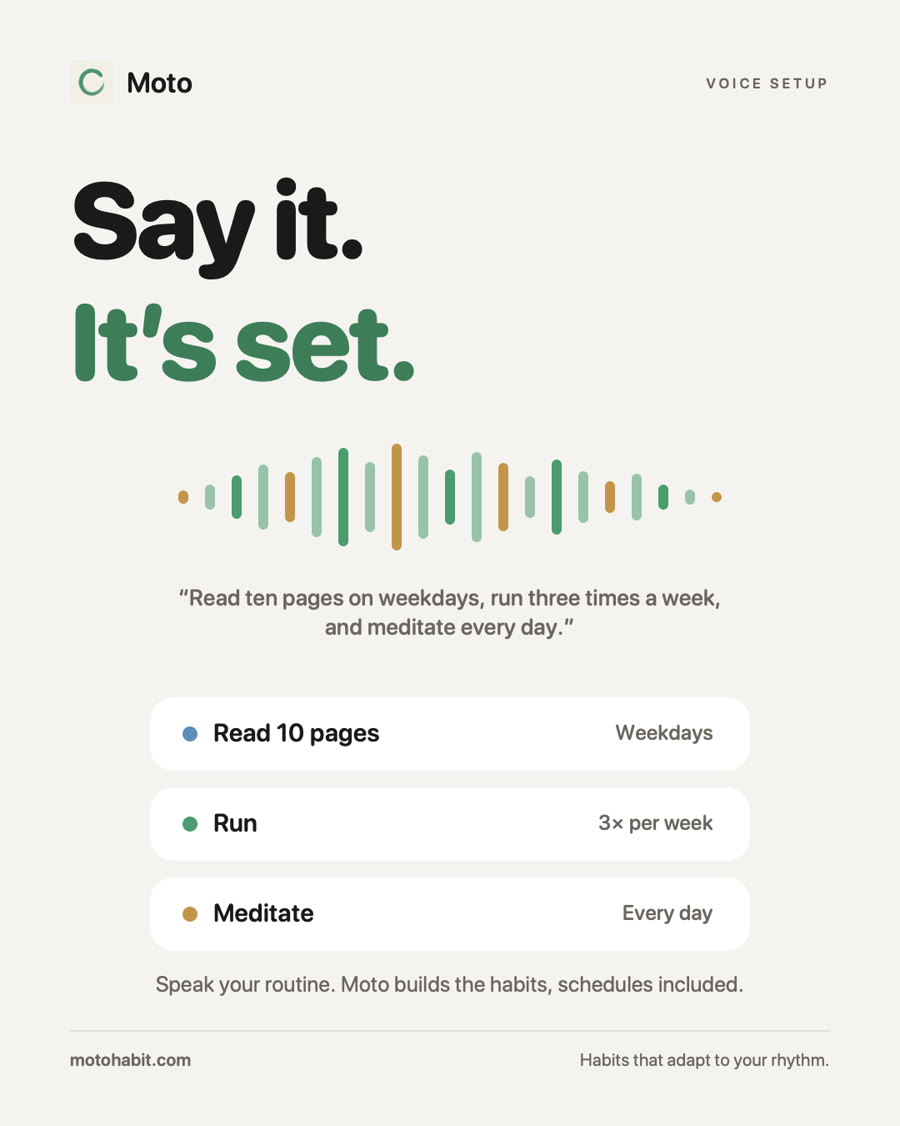 Step 2
Say your routine
Tap +, then the mic. Say it the way you would to a friend: "read ten pages on weekdays, run three times a week, meditate every day". Moto creates each habit with its schedule. This is your best 5-second clip.
 Step 3
Pick a schedule that fits
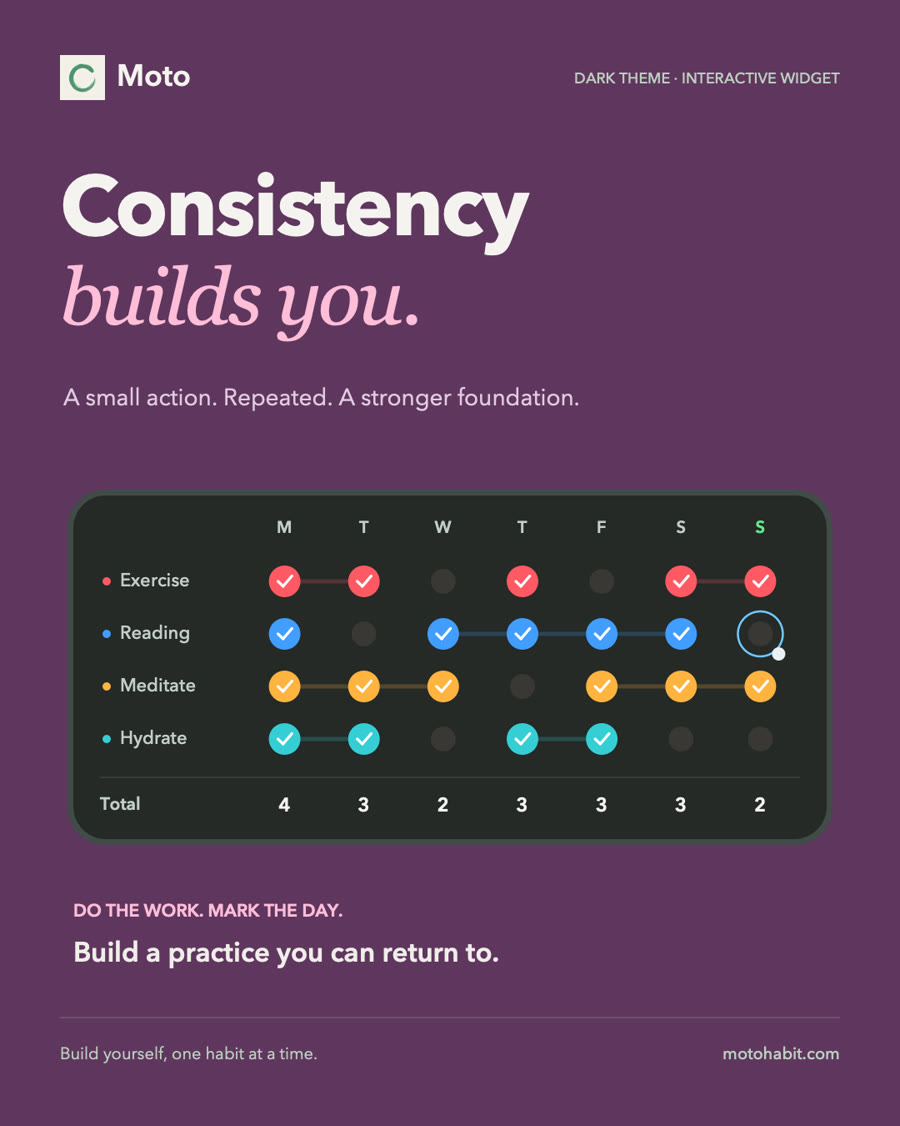
Open a habit to change its schedule, color, icon, reminder or daily goal (8 glasses, 3 km, 20 min). Times per week is the one to explain: any 4 days count, so a rest day stays green.
 Step 4
Add the widgets
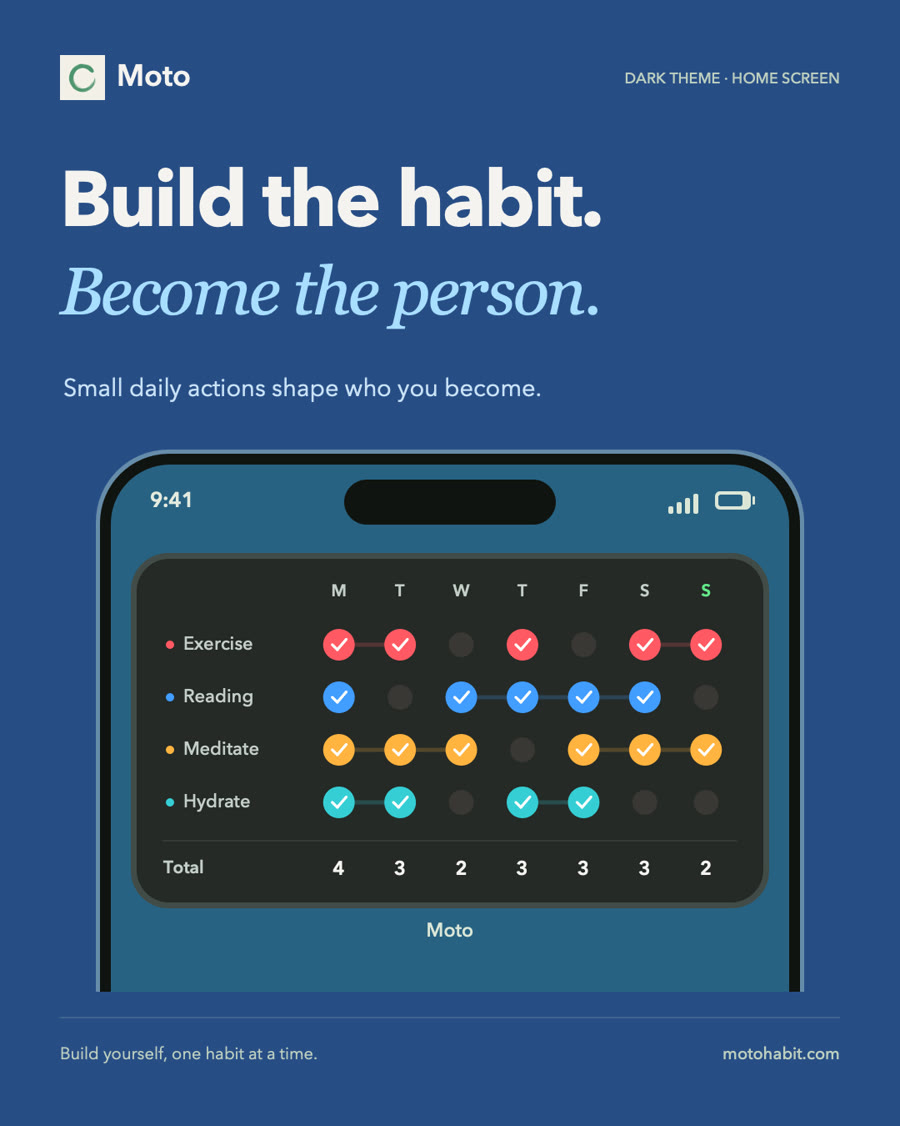
Long-press the Home Screen, tap Edit, Add Widget, search Moto. Today and This Week are interactive: tap a habit right on the widget. Long-press the widget, Edit Widget, to pick which habit a Streak or Heatmap shows.
 Step 5
Check in from anywhere
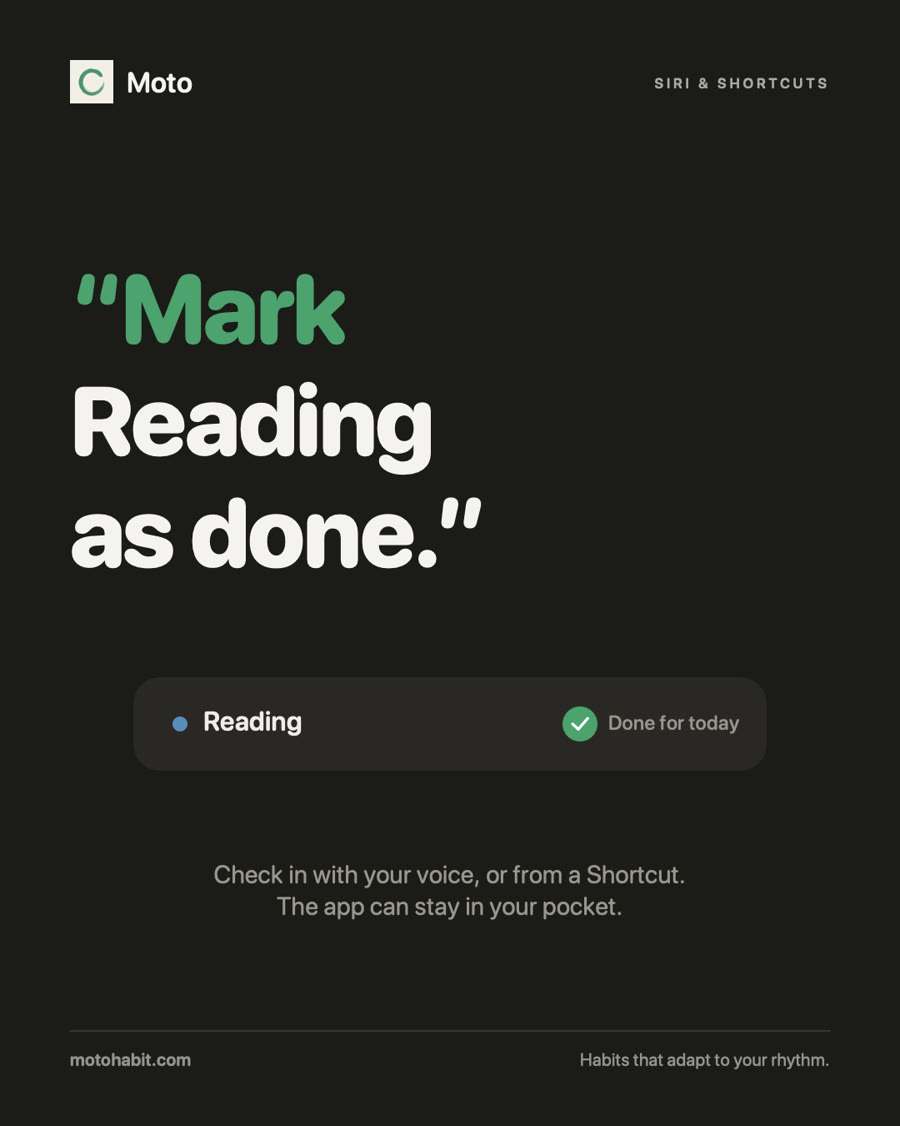
Tap the widget, tap in the app, say "Hey Siri, mark Reading as done", tap the Apple Watch, or click the Mac menu bar. Everything syncs.
 Step 6
Skip a rest day
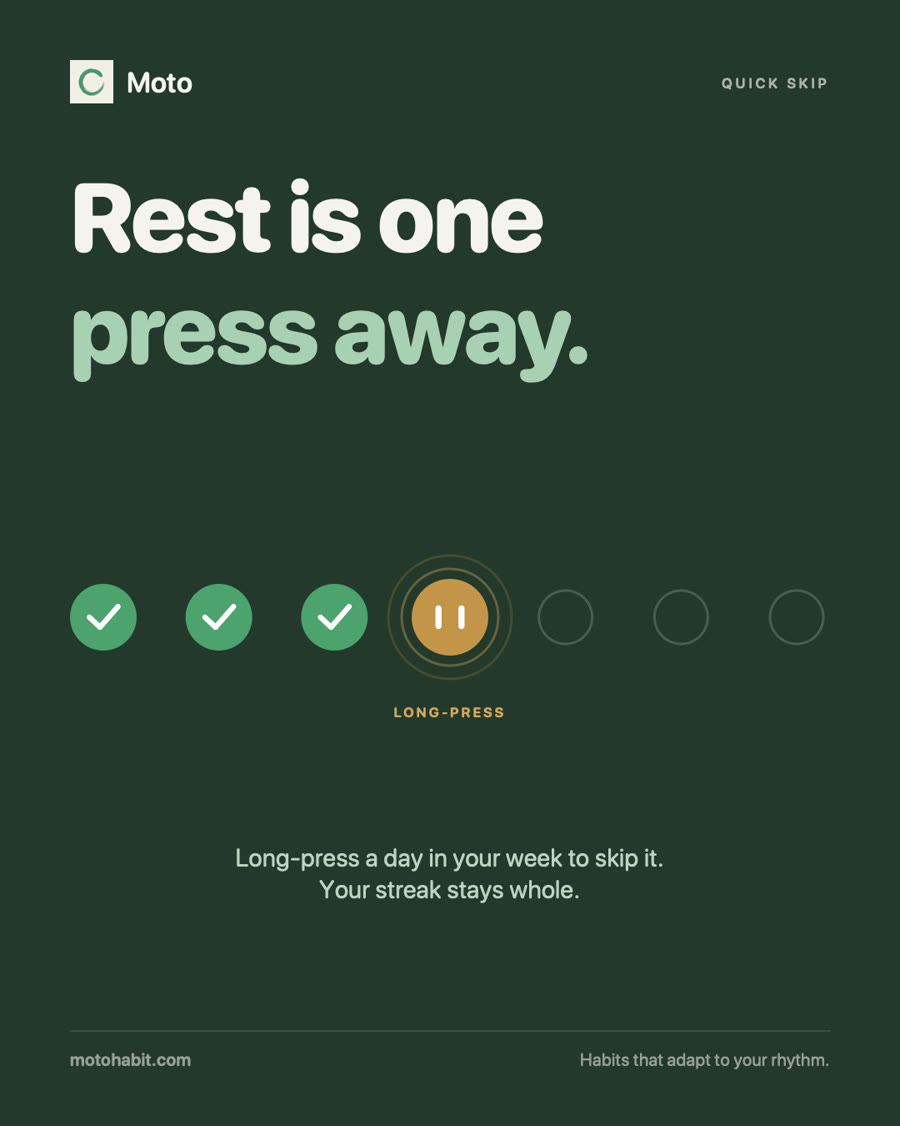
Long-press a day in the week and choose Skip. It turns amber, the streak survives. The moment that makes people say "finally".
- Step 7
Show the rhythm
After a week or a month, open Analytics: completion rate, best day, heatmap. Perfect for a follow-up post.
The seven schedules, in one table
Habit setups
Twelve routines, ready to copy.
Pick the one closest to your audience, tweak it to your life, and film it. Each comes with the widget to show and an angle for the video. On the free tier, keep the first three habits.
The student
Exams, lectures, a sleep schedule that keeps slipping
- StudyWeekdays · 2 sessions
- ReadEvery day · 10 pages
- Walk breakEvery day
- Lights outSun to Thu
The lifter
Trains 4 times a week and wants recovery to count too
- Train4× per week
- MobilityEvery day · 10 min
- Drink waterEvery day · 8 glasses
- Sleep 8hEvery day
The early riser
Wants a calm first hour instead of the phone
- Make bedEvery day
- SunlightEvery day · 10 min
- No phone first hourEvery day
- JournalWeekdays
The night owl in recovery
Goes to bed too late and wants to fix it gently
- Screens offEvery day
- StretchEvery 2 days
- Plan tomorrowWeekdays
- Lights out by 23:00Sun to Thu
The calm seeker
Stress, anxiety, wants a few quiet minutes a day
- MeditateEvery day · 10 min
- Walk outsideEvery day
- Journal3× per week
- No socialsWeekends
The desk worker
Long days at a laptop, wants focus and to move more
- Deep workWeekdays · 2 blocks
- Walk breakWeekdays · 3 times
- StretchWeekdays
- Inbox zeroMon, Wed, Fri
The scroll breaker
Too much screen time, wants a real alternative
- No phone in bedEvery day
- Read insteadEvery day · 10 pages
- No socialsWeekdays
- Phone-free SundaySundays
The learner
Language, instrument, any skill built a little at a time
- SpanishEvery day · 15 min
- Guitar5× per week
- WriteEvery 2 days · 300 words
- Talk with a nativeSaturdays
The new runner
Couch to 5K, needs rest days to stay injury free
- RunMon, Wed, Sat · 3 km
- WalkEvery day · 8,000 steps
- StretchEvery 2 days
- Drink waterEvery day · 8 glasses
The busy parent
No time, no energy, still wants something for themselves
- WalkEvery day · 20 min
- Read with the kidsEvery day
- Me time2× per week
- Lights outWeekdays
The shift worker
Nurses, chefs, anyone whose week never looks the same
- WorkoutEvery 3 days
- Sleep after nightsCustom
- Meal prep2× per week
- Drink waterEvery day · 2 L
The saver
Wants to spend less without a budgeting spreadsheet
- No-spend day3× per week
- Log expensesEvery day
- Pack lunchWeekdays
- Weekly money checkSundays
Demo videos
Post them as is, or cut them into yours.
All with licensed music, free to use in your Moto posts. Use them as B-roll behind your voice, or repost them with your link in the caption.
App demo
Today, Last 7 Days and Analytics in 3D, with music
9:16 · 31sApp demo, short
The same demo cut for Stories and Shorts
9:16 · 15sWidget tour
Why open an app to keep your habits? Every widget, voiced
9:16 · 25sShow up
Day 1 feels small. Day 100 feels like you.
9:16 · 20sHome Screen
Fast cuts on widgets and check-ins
9:16 · 17sExplainer: widgets
It lives on your Home Screen
9:16 · 13sExplainer: voice
Say your routine, Moto builds it
9:16 · 14sExplainer: rest days
A rest day isn't a reset
9:16 · 14sApp demo, landscape
For YouTube, blogs and newsletters
16:9 · 31sContent ideas
Hooks that work, formats that convert.
The first second decides everything. Lead with a feeling or a result, show the app by second three.
“My Home Screen does my habits for me.”
Home Screen tour · pairs with Widget tour“I missed a day and my streak survived.”
Rest day story · pairs with Explainer: rest days“I set up my whole routine in ten seconds. Watch.”
Voice setup · pairs with Explainer: voice“Stop doing habits every day. Do them 3 times a week.”
Talking head + screen · pairs with App demo“The habit tracker for people who quit habit trackers.”
Talking head + screen · pairs with Show up“30 days of tracking one habit. Here's the heatmap.”
Before / after · pairs with Home Screen“The 4 habits I track as a [student / nurse / runner].”
Setup with me · pairs with App demo, short“POV: you check off your run before you catch your breath.”
POV, Apple Watch · pairs with Home ScreenHome Screen tour
15 to 30s- Hook over your Home Screen
- Tap a habit on the widget, it turns green
- Swipe to a second widget (heatmap or streak)
- "It's called Moto, link in bio"
Set it up with me
30 to 60s- Who you are and what you want to fix
- Say your routine to Moto, habits appear
- Pick one schedule and explain why (4× per week)
- Add the widget, show the first check-in
30-day check-in
30 to 45s- Day 1 screen recording
- Day 30 heatmap and analytics
- One honest lesson ("I skipped 4 days and kept going")
- Your link: Pro for life, one payment
Carousel
5 to 8 slides- Slide 1: the hook as big text
- Slides 2 to 5: one screen and one sentence each
- Slide 6: your setup as a list
- Last slide: your link
✓ Shooting tips
- Dark mode looks best on camera, and widgets glow in low light.
- Turn on Do Not Disturb and hide personal notifications before you record.
- Use iOS Screen Recording (Control Center) for crisp screen footage, then add your face on top.
- Use real habits. Followers can tell a fake routine, and yours is the story.
- Fill a week of check-ins before filming the widgets, so the dots have color.
- Lead with the outcome ("my Home Screen does my habits for me"), not the app name.
✕ Please don't
- Promise health results ("cures ADHD", "fixes insomnia")
- Promise Pro on Android (Pro from your link is Apple only)
- Say Moto is unlimited for free (it's free up to 3 habits)
- Post without #ad or the paid partnership label
Captions
Paste your link, copy, post.
Edit them freely, they read better in your voice. Keep the link and the ad label.
Short caption
TikTok, Reels, ShortsMy habits live on my Home Screen now. One tap, done, and a rest day doesn't kill my streak. The app is Moto. Pro for life, one payment, no subscription: your link #ad #habits #habittracker #homescreen
Story / link sticker
Instagram StoriesThe habit tracker I actually kept using 👇 Pay once, Pro forever your link #ad
Long description
YouTube, blog, newsletterThis video is sponsored by Moto, the habit tracker I use every day. What I like about it: • Check off habits from widgets, no need to open the app • Skip a day without losing your streak • Schedules that fit real life: 3 times a week, weekdays, every 2 days • Works on iPhone, iPad, Mac and Apple Watch Get Moto Pro for life, one payment and no subscription, with my link: your link
Pinned comment
Any platformApp is Moto 🟢 Pro for life, one payment → your link
How your followers buy
- Your postwith your link
- Your linkopens Moto Pro
- They pay oncePro for life
- Apple IDPro on every device
- You earn€10 for every sale
Your link opens the Moto Pro page on motohabit.com. It remembers them for 60 days, so a sale next week still counts.
After paying they sign in with their Apple ID once. Pro unlocks by itself in Moto on every iPhone, iPad and Mac on that iCloud account. No code to type.
Android isn't supported for Pro from your link. Android followers can still use Moto for free.
Downloads
Every asset, one click.
Screenshots
App Store images, iPhone and Watch screens
Widgets
Every widget, light and dark, transparent PNG
Social posts
Square and portrait posts, plus our reel

App icon
1024 × 1024 PNG
Brand colors and fonts are in the press kit.
Questions
Before you post.
Do I need Pro to make content?
No. When you join, we unlock Pro on your Apple ID for free, so you can show every feature: unlimited habits, analytics, every widget.
Can I post the videos on this page as is?
Yes. Repost them, cut them, add your voice or put them behind a talking head. Just label the post as an ad or paid partnership.
What do my followers get?
Moto Pro for life with one payment, no subscription. They buy it on motohabit.com through your link and it unlocks on every Apple device they own. Moto stays free with up to 3 habits for anyone who doesn't buy.
Is Moto on Android?
Moto is on Google Play, but Pro bought through your link unlocks through an Apple ID, so it only works on iPhone, iPad and Mac. If most of your audience is on Android, tell us before you post.
Can I mention prices?
Better not: taxes and currencies change the final price. Say "free to start, Pro is one payment for life".
Need something else?
A custom video, a different language, a review of your draft? Write to us, we reply within 48 hours.
Email the Moto team